
Hello AMO Folks!
We are excited to share our AMO May product updates with you!
We’ve been working on some major updates that have been requested here from a number of you!
We are also doing a Webinar on May 12th @ 2PM CST to cover these updates in-depth – please join us!
You can register at this link: https://us02web.zoom.us/webinar/register/WN_CL3v7DqTShG8wseUp1KwZA
Display Areas / Member Center by Member Type
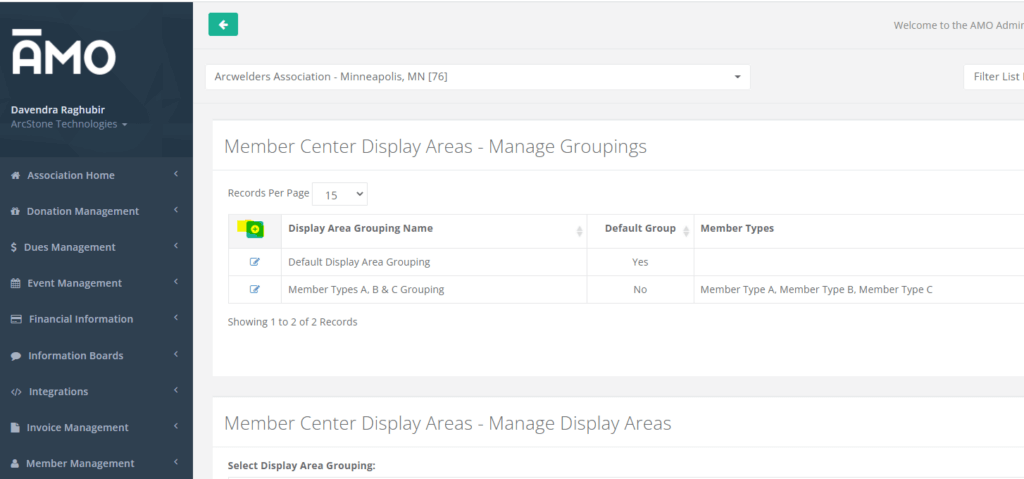
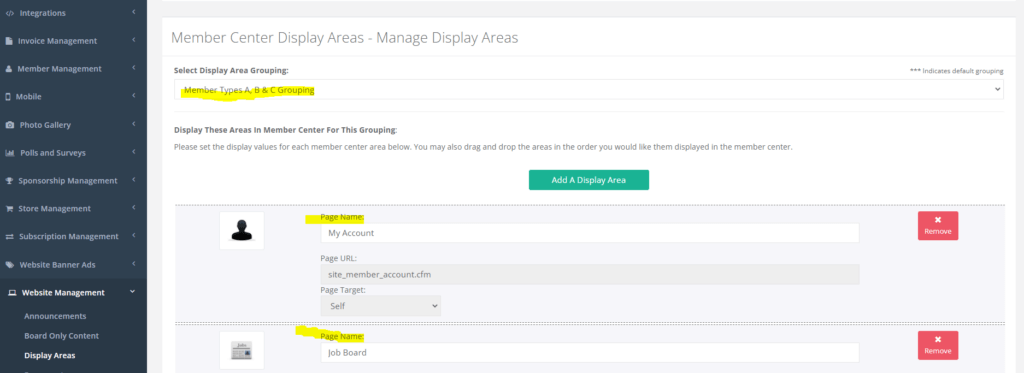
We’re very excited to share one of our largest updates to AMO recently – we’ve now added an entire system to show different Member Center views depending on their Member Type! Some of you may have noticed under the Website Management > Display Areas there is now a grouping system at the top of the screen.
You can create a new Display Area group by clicking the Green Plus Icon –
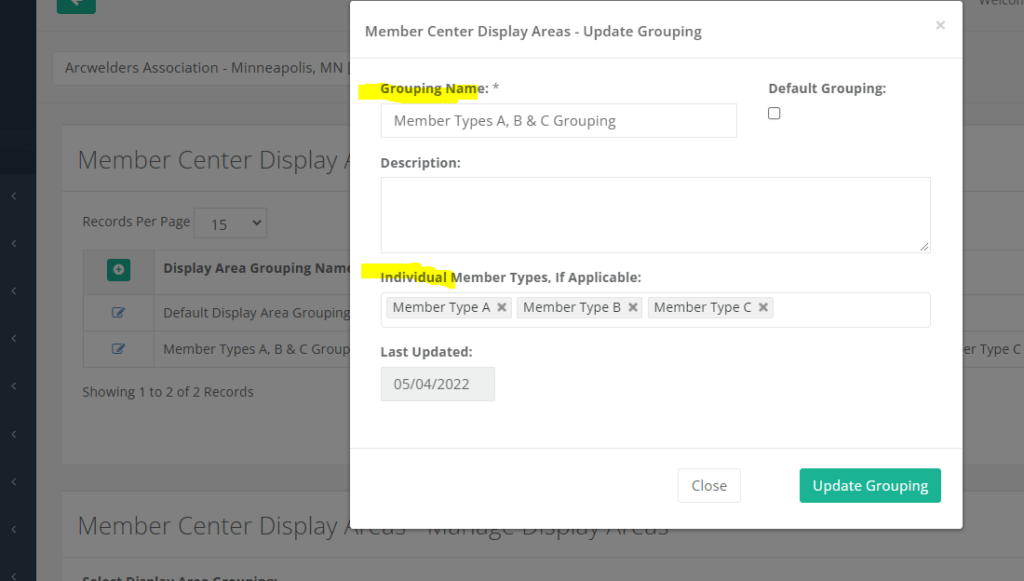
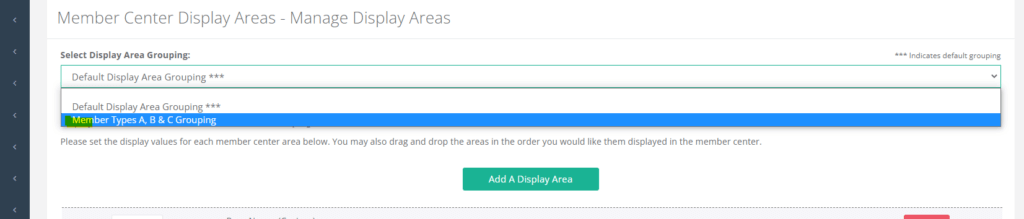
Once you add a new group and select the proper Member Types, you’ll then be able to pick that group in this drop down list to change the Member Center areas available for those particular member types –
Multiple Donation Fund Update
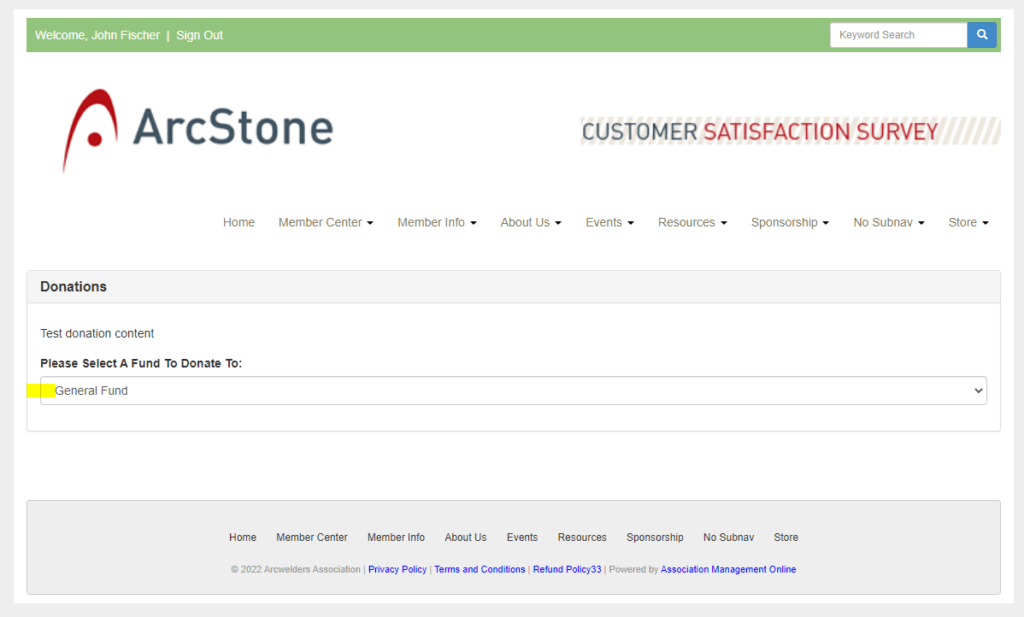
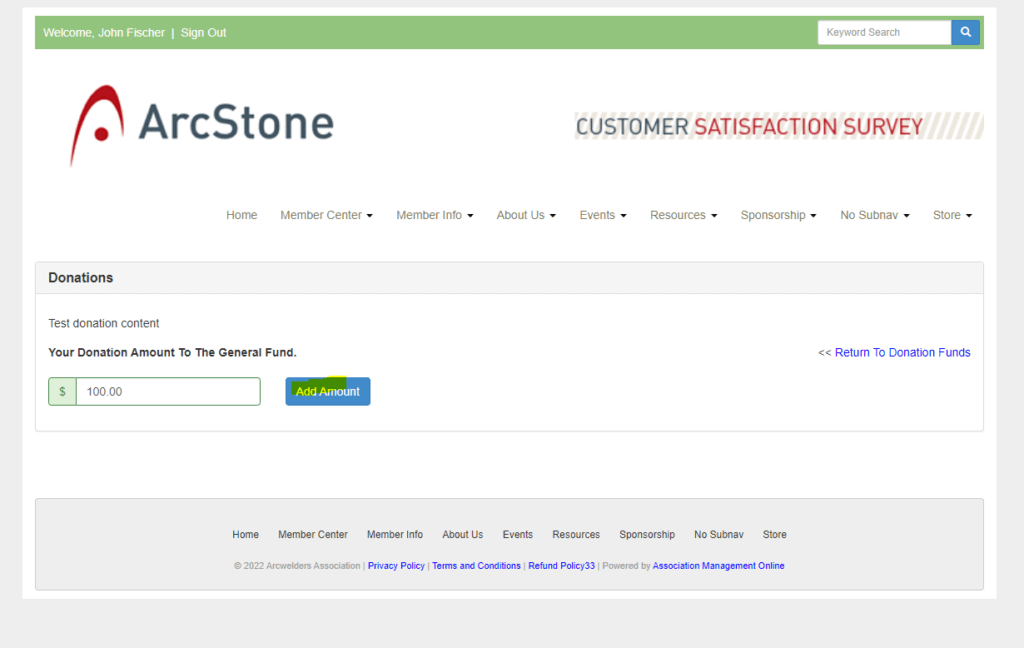
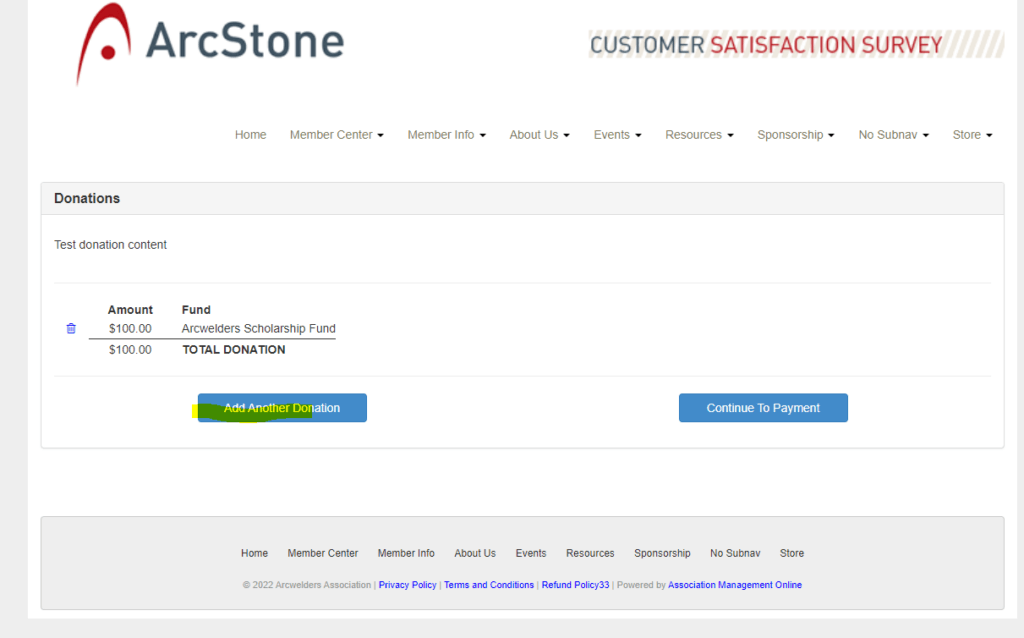
Previously in the donation system we allowed one donation per fund, we have now reworked the donation system to allow multiple donations to different funds at the same time!
Now when people go to donate, they’ll have an interface to allow multiple – see the following screenshots:
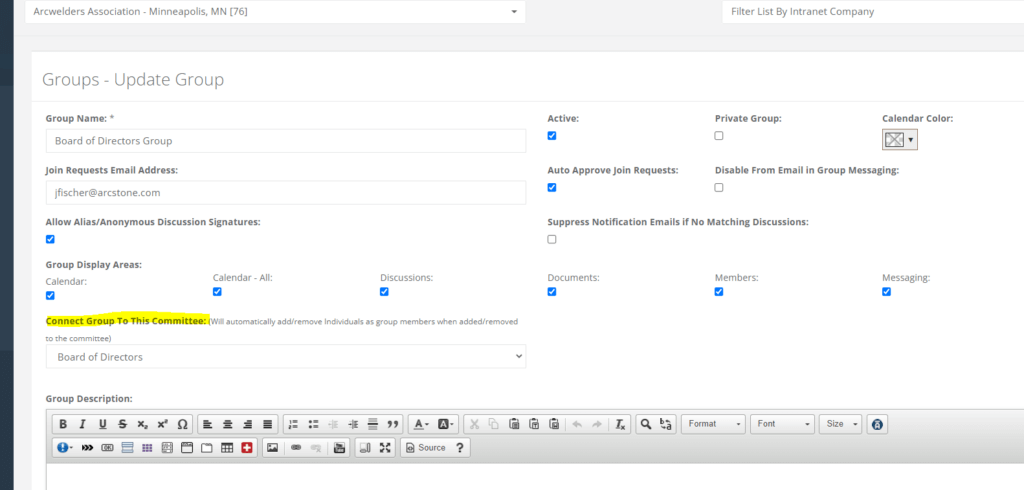
Group Updates to Connect to Committees
We’ve noticed there’s been an increased usage of our awesome Groups system and based on feedback, there is now a connection to link a Group to a Committee.
You’ll no longer need to manage the Committees list separately from the Groups!
If you go to edit a group you’ll see a new drop-down here to connect this group to a Committee –
New Labels – Social Media Labels
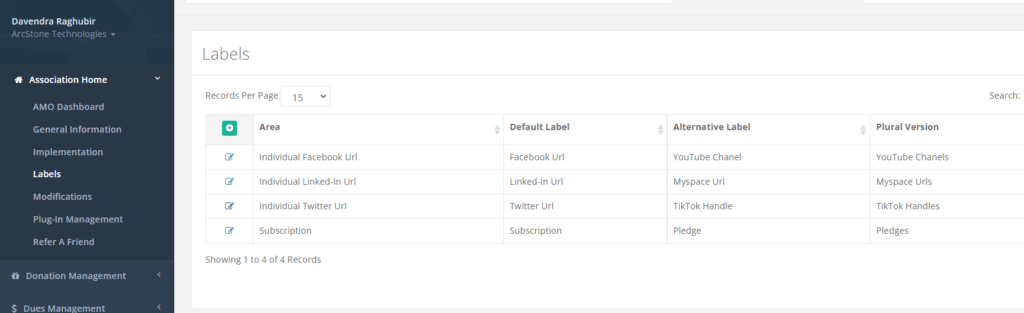
Some of you maybe familiar with our Association Home > Labels area where we can facilitiate relabeling different parts of AMO.
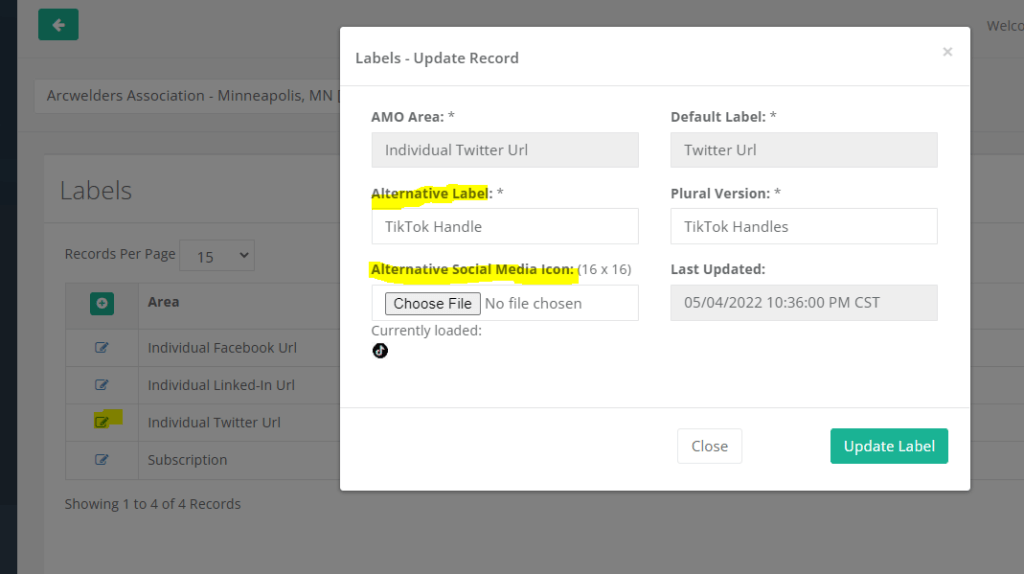
We’ve now added some more labels here to allow better flexibility for the ever changing social media landscape!
If you head to Association Home > Labels, you’ll now see you can relabel the Facebook, LinkedIn and Twitter to another social media (TikTok for example) and even add the different icon there as well.
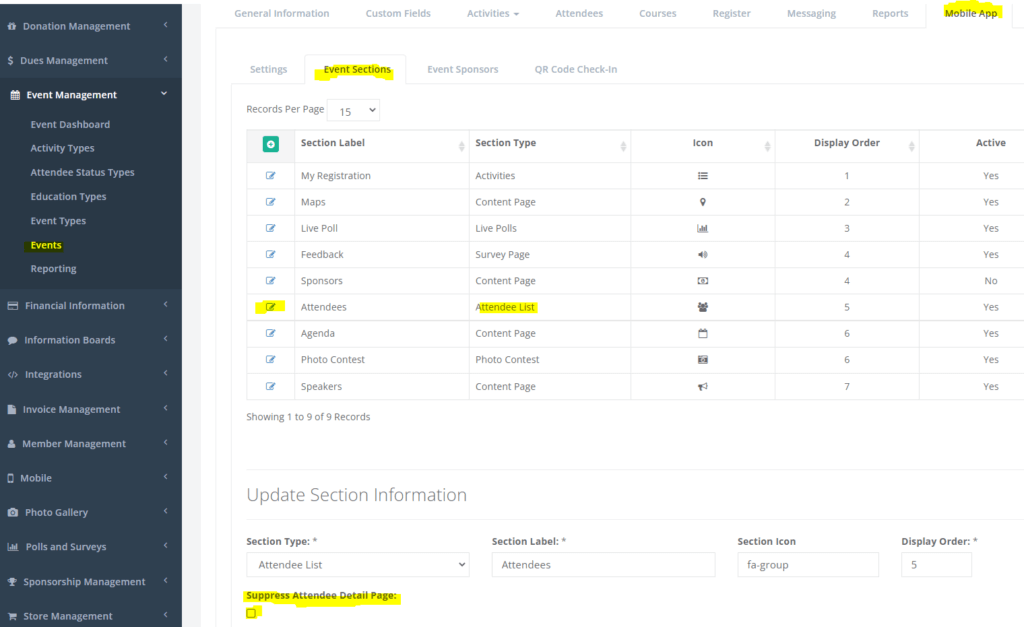
PWA / Mobile App – Event Sections – Attendee List – Suppress Attendee Detail Page
We received feedback from a number of people using the Attendee Directory for Events, we’ve now added a control to allow the Attendee Profile Detail page to be supressed, this turns off the link to view Attendee Details as that page contains information they signed up for the Event with.
We hope you enjoy the May updates here and thank you all for the continued feedback on AMO!