
Hello AMO Folks, Hope you’re staying cool this Summer!
We are excited to share some exciting AMO product updates with you!
We’ve been working on these updates for a few months now, some of you may have seen some of these already in AMO.
This batch of updates includes some exciting new updates for Google Analytics 4 integrations, Stripe Auto Renewals, and more!
We’ll be hosting a Webinar to cover these latest updates on August 10th @ 2:00PM CST.
Click Here to Register
Google Analytics Version 4 Integration
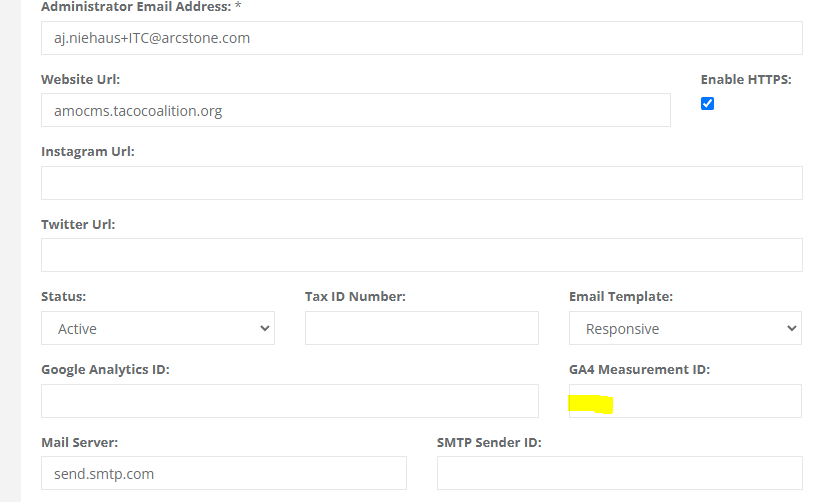
We have now added a field to add your Google Analytics 4 (GA4) Measurement ID to execute the new script on the AMO CMS.
You can find this new field under Association Home > General Information
If you have any questions about Google Analytics Version 4 please reach out to help@amohq.com and I can help connect you with someone from the ArcStone Team, they have a marketing department with Technical SEO Specialists.
Stripe Updates & Auto Renewals
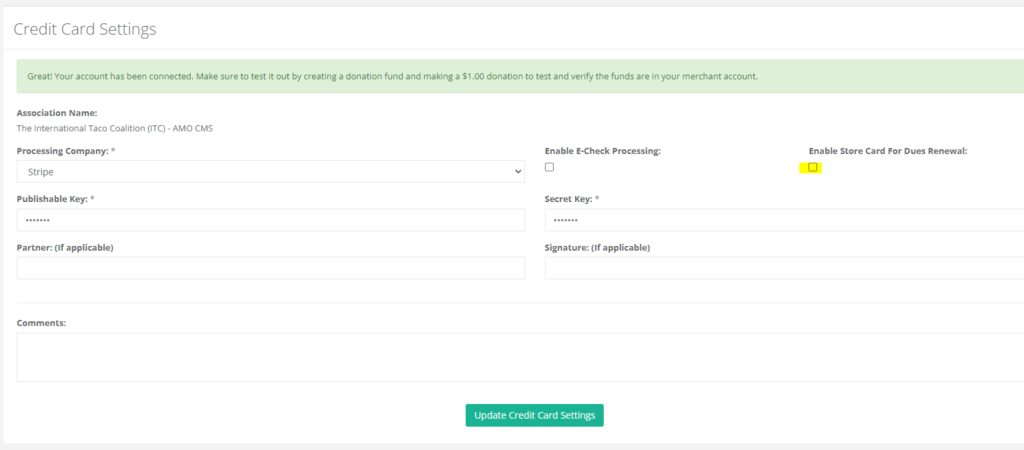
We have now upgraded Stripe to the latest Stripe JavaScript Framework for PCI Compliance and have also now added some new Auto Dues Renewal features.
If you head to Financial Information > Credit Card Settings there is now a box to enable this feature
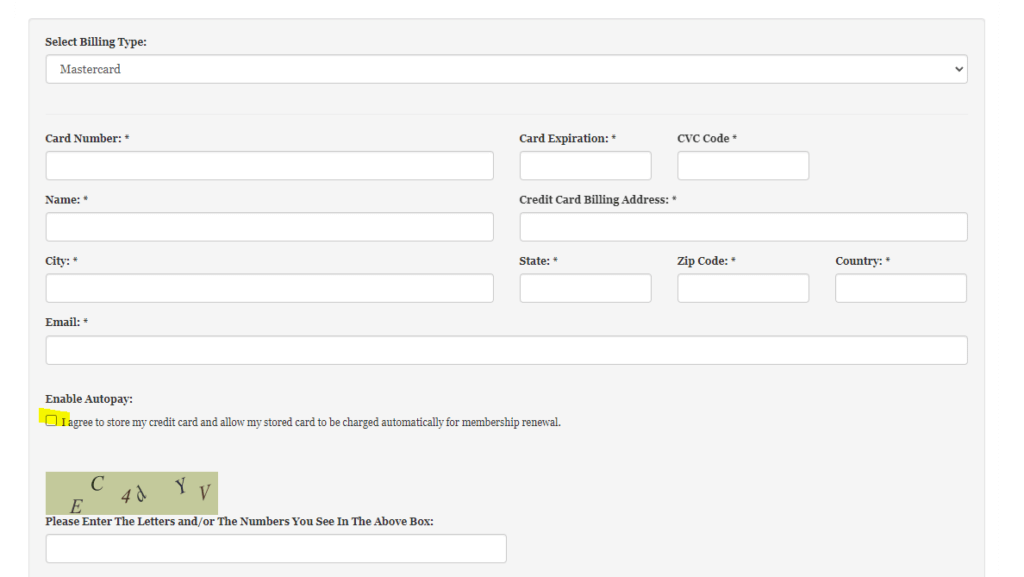
Once you enabled this feature this will allow Members during the New Membership Application & Membership Renewal process to opt into Auto Dues Renewals and save their card at the same time when making a payment.
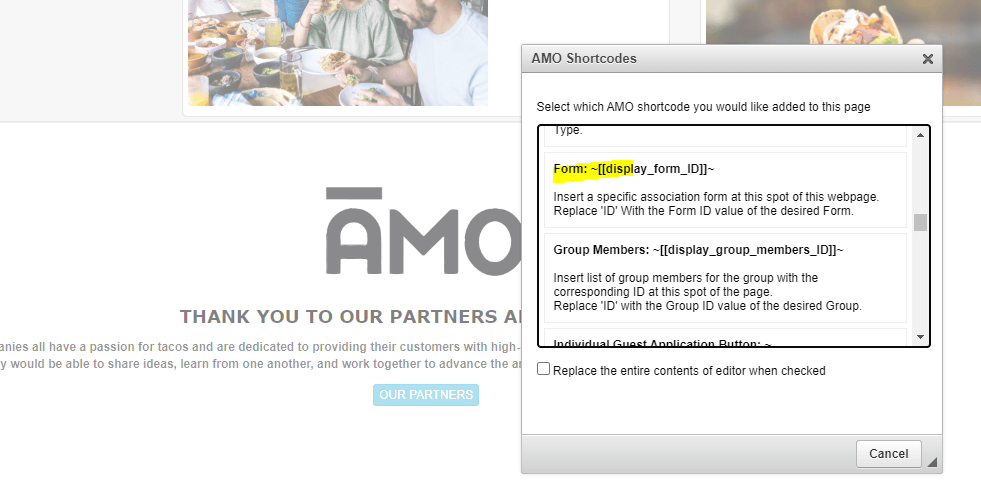
New AMO CMS Forms Shortcodes
Forms that are created in AMO can now be embedded into an AMO CMS Webpage with a Shortcode, you will need to replace “ID” with your Form ID.
Paid Thru Date UI
AMO’s Individual and Organizational screens have some helpful new information.
First, AMO’s membership functionality in AMO has not changed with this update! An Organization’s paid-thru dates have always applied to its contacts.
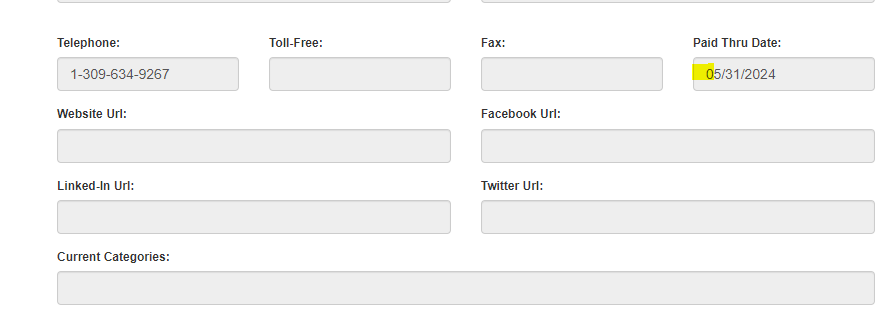
Prior to today’s update, AMO would show the individual’s paid-thru date as being blank.
With today’s update, we’ll now display their Organization’s paid-thru date in that field automatically for quick reference, should it apply.

If you wish to override the Organization’s paid-thru for a particular individual, you can click the “Override” radio button, and type one in.
Doing so will set that particular individual up to be invoiced separately for their membership.
The same applies to Affiliate based Organization’s memberships. AMO will now display the top-level Organization’s paid-thru date in all records where it applies, rather than showing them as being blank.
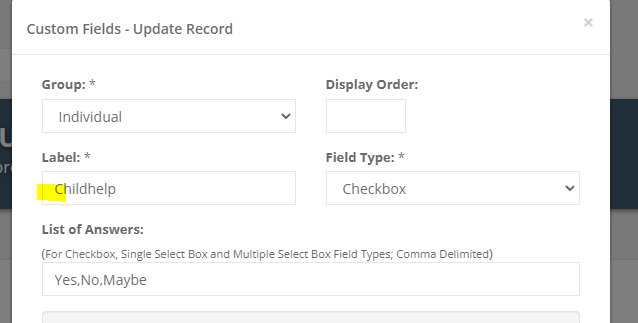
Custom Field Labels Character Limit Increase
Custom Field Labels Character Limit has been increased to 400 characters to accommodate longer Custom Field Names.
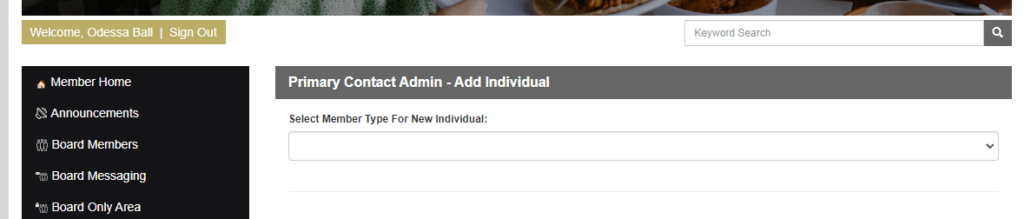
Organization Primary Contact Add an Individual Member Type
We have made an improvement to the Primary Contact > Add Individual Functionality to now let them select the Member Type when adding a new Member.
Organization Paid Thru Date Member Center Display
The My Organization Member Center Area now displays the Organization Paid Thru Date
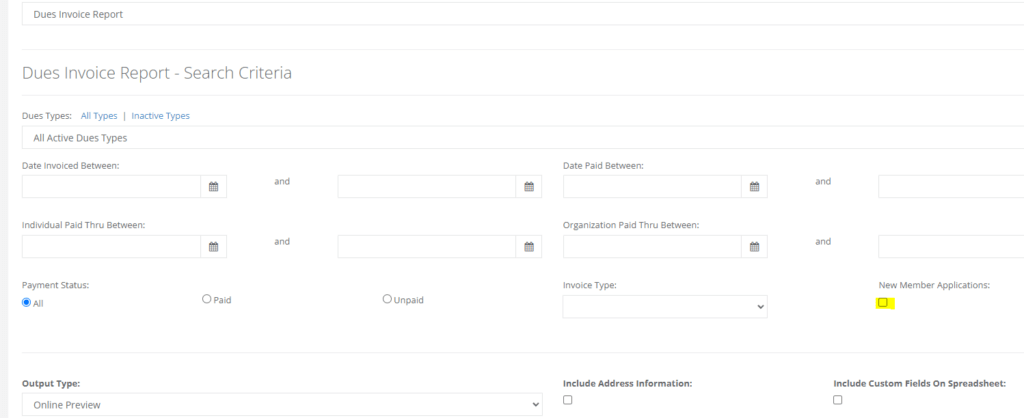
Dues Invoice Report – New Member Application Filter
If you head to Member Management > Reports> Dues Invoice Report, you will now see a box to filter the Invoice’s by New Membership Applications
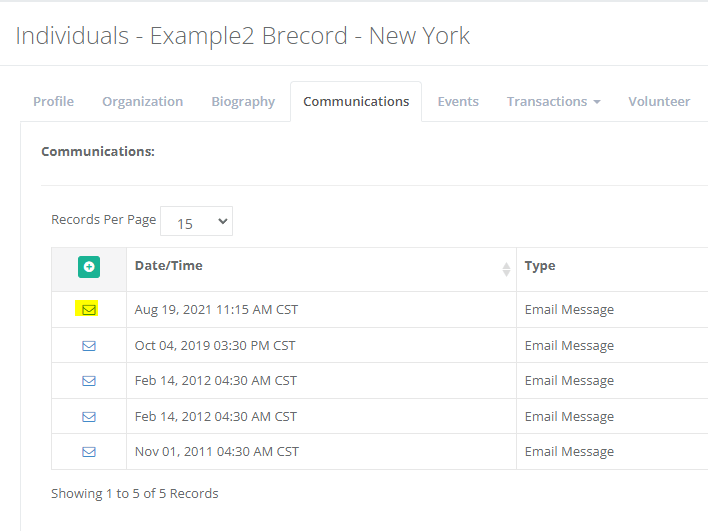
Email Communications Log Merge Tag Data Display
The AMO Communications E-mail Log View will now generate the proper merge tag data from when the e-mail was sent in the Admin View
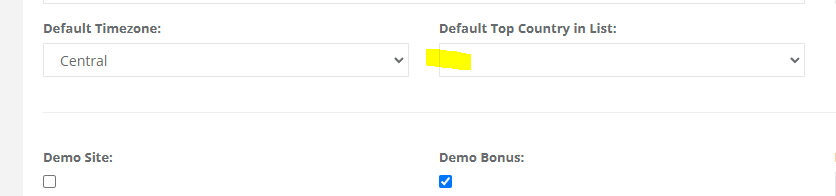
Default Country Selection
You can now set the Default Country Selection in the Association Home > General Information area
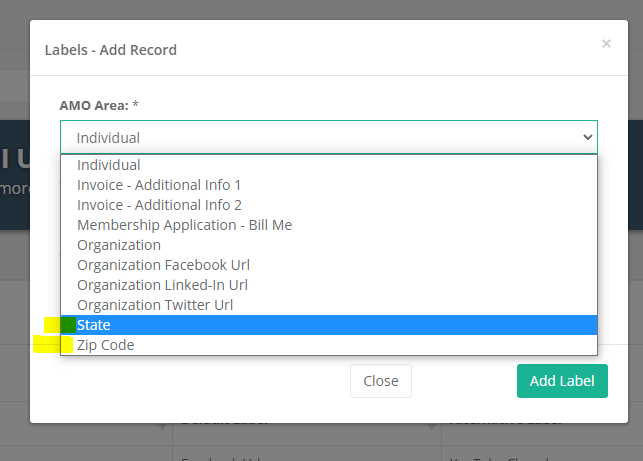
New Labels for Zip & State
There are now new labels for Zip & State to relabel those areas throughout AMO to accommodate the International Associations
You can find this in the Association Home > Labels area
Education Report New Filters
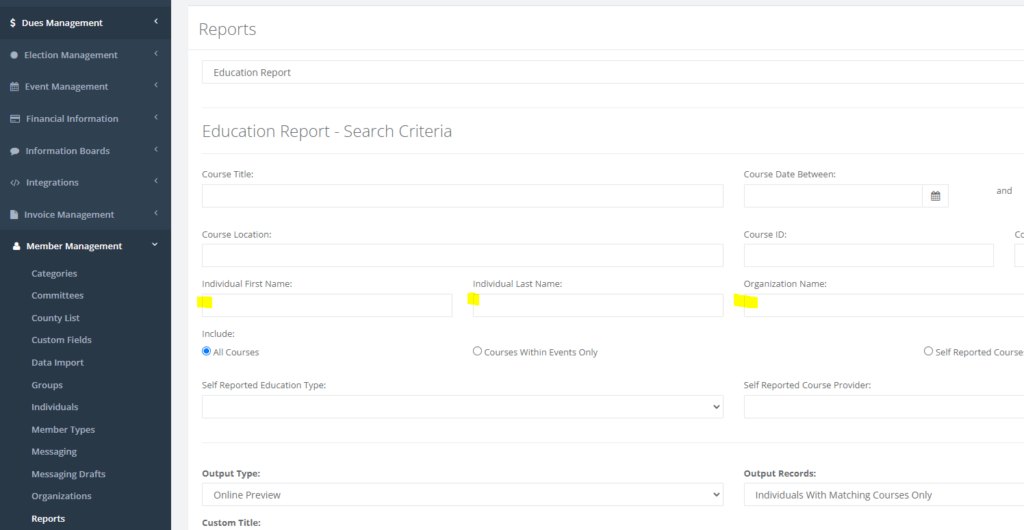
The Education Report in the Member Management > Reports area now has additional filters for First Name, Last Name, and Organization Name.
Non-Member Database Match Event Report Update
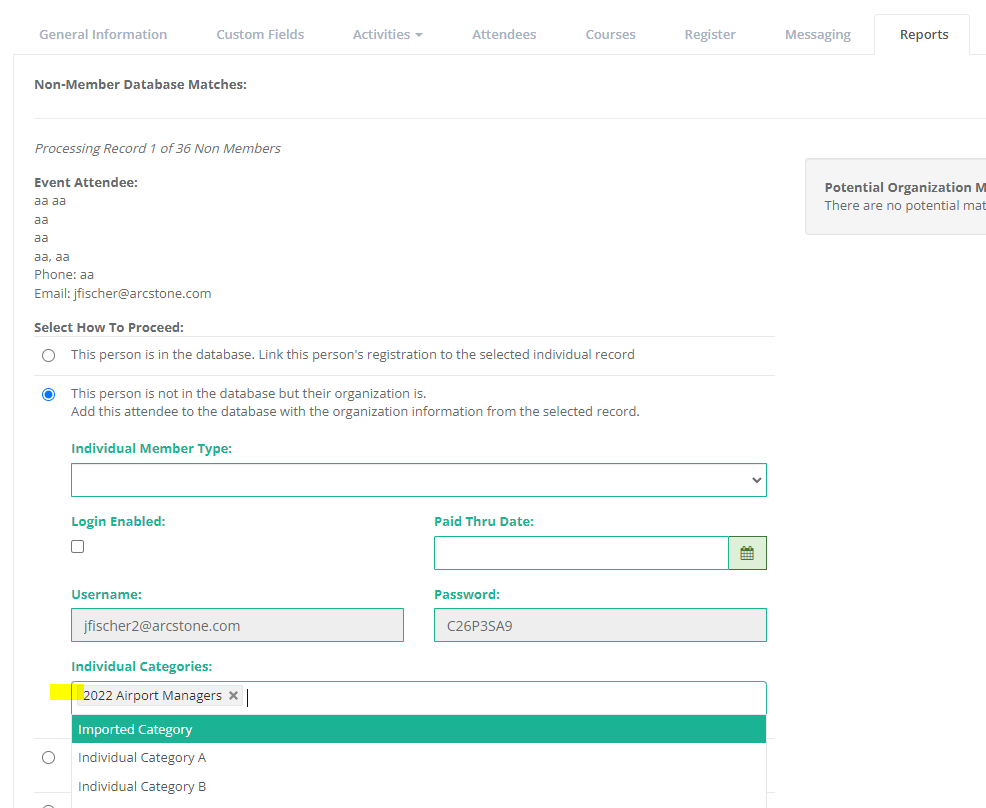
We have now added the ability to add Individual Categories when running the Non-Member Database Matches Tool in the Events > Reports area
Salutation Merge Tag Update
We have added a brand new Merge tag to include Salutations

AMO Quality of Life Updates / Fixes
Alternative Text / Accessibility Updates
We have now added Alternative Text for the Hamburger Menu and the Member Home button in the Member Center for better accessibility.
Event Messaging UI Update
The Event Messaging Area now reflects the General Messaging interface with a radio button for Sending or Scheduling E-mails
Multiple Elections Issue
We fixed an issue when multiple elections are setup to run
Invoice Management Tip
There is now a helpful tip message in the Invoice Management areas to remind Admins to use the Dues Management area for Dues Invoicing
File Upload Custom Field Display Only Fix
We have fixed an issue with the File Upload Custom Fields allowing Members to delete the file when Display Only is checked
Announcements Typo
Fixed a minor typo on the Website Management > Announcements Screen
Individual & Org Report Saved Search Dynamic Delete
We have now updated the Individual & Organization Reports to use the new Dynamic Delete button
Events Financial Complete Report Sort Change
The Events – Financial Complete Report now sorts by Last Name
Messaging Delete Saved Segment Issue
We have now added a check for whether a segment being deleted is connected to an unsent scheduled e-mail.
Replicate Dues Archived Dues Type Change
The Dues Replication Tool will now not load in any Dues Type’s that have the Archive Box selected.
Event Report – Attendee List Data Update
The Attendee List Excel Download from the Reports area within an Event now includes Organization Paid Thru Date information
We hope you enjoy the July updates here.
Thank you all for the continued feedback on AMO!