
We’re on to a new month! August reminds us that summer is coming to a close and fall is just around the corner. We all know once September hits, our schedules get increasingly busier. Instead of succumbing to time pressures, use this last bit of down time to check off to-dos.
This months Wednesday Roundup will focus on ways to update your website and member portal. Each week we’ll share ideas and ways to implement.
Website / Member Portal Edits
One easy way to make improvements to your association is through website edits. Find time to comb through both the front end site and the member portal. What could use a refresh? How does your content serve your audience? Walk through your workflows as if you were a member. Note items that confuse you or cause friction. Think about ways you could simplify these processes and help a member find useful information faster. Maybe that means adding a bright colored CTA to your homepage that links them directly to the membership application. Or, if you know users will visit your site to register for your conference, create a banner on the homepage that advertises the event.
Metrics and Analysis
Before you change too many things, make a list of priorities. Develop a strategy for each item. Think through the process like this…
- What is my end goal?
- What metric(s) will I measure?
- How long will I test this change?
- What tools will I use to analyze the change?
Once you’ve determined exactly what you want to change and why, it’s time to make the edits.
Easy Access to Info
As an AMS vendor, I’m constantly navigating association websites. While each site is unique and has a different purpose, I’m always surprised at how hard it is to find the membership application. For most associations, membership growth is of high priority; so the membership application should probably be front and center, right? Evaluate your own site – how long does it take for a prospect to find information about membership?
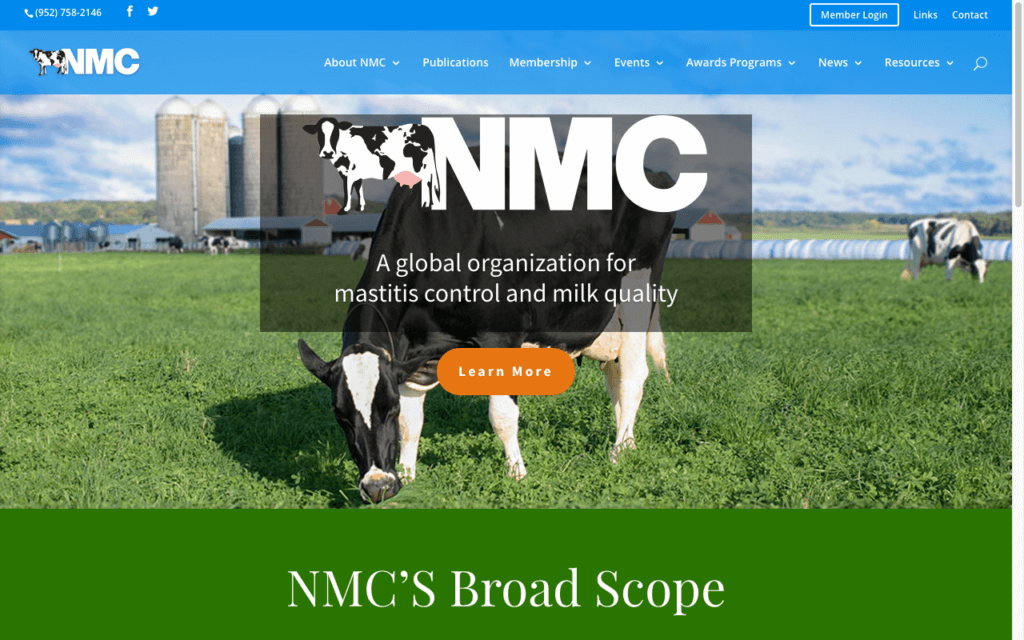
Notice the National Mastitis Council features a bright CTA on the homepage. Once clicked, it directs you to a page about member benefits and how to join. All it takes is one click.
Member Log In
When a member navigates to your site, they’re probably looking to pay an invoice, register for an event, or update their account information. Is there a sign-in button on the homepage? Is it visible? Though you’ll likely have members visit frequently (meaning they know where to look), it’s important to always think about the new members or infrequent users too. Develop your strategy with these individuals in mind.
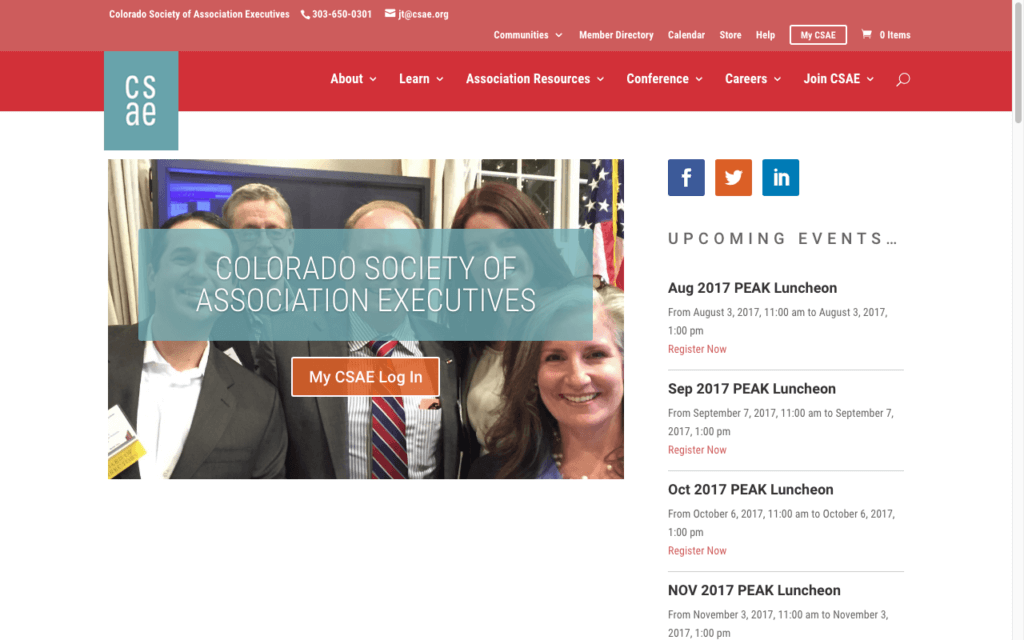
The Colorado Society of Association Executives does a great job clearly calling attention to the member log-in button. It’s featured front and center on the homepage.
Does your website need an overhaul? Don’t know where to start? AMO’s parent company, ArcStone, specializes in end to end web development. Email me at aketcham@arcstone to talk with a strategist.

Interested in the AMO Mobile App?
Sign Up to watch a recording of the Live Demo Webinar and receive a link to the Interactive Mobile App Prototype!