
Welcome to week three of Wednesday Roundup! If you missed last weeks edition, check it out here. In a nutshell, we discussed ways to save time using integrated, dynamic forms like the membership application and event registration. These forms empower your members with flexibility and give you more time to focus on developing member benefits and special event offerings rather than manually entering data into you spreadsheets.
In this installment of Wednesday Roundup, we strategizing ways to use the member portal to help you save time. We’ll take a look at the AMO member center and specific modules that can empower members to do tasks you may be managing now. Not only can the portal save you time but it’s also a great place for members to interact and engage. Building out your portal doesn’t have to be challenging. Follow our 5 step guide to fully leverage your system:
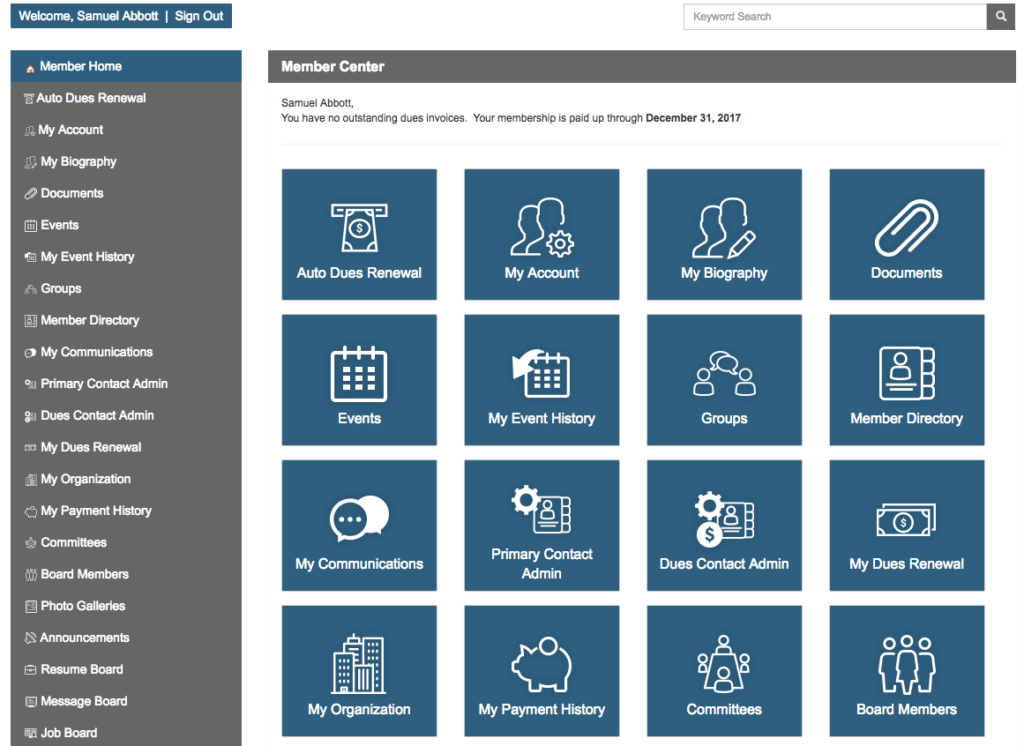
An example of AMO’s Member Portal
Enable Event Registration
Just as we discussed in last weeks WR, allowing members to register for an event online gives them the ability to choose registration options and make a payment online rather than go through the hassle of filling out a paper form and mailing in a check. Configuring an event module in your portal also ensures that members payments don’t fall through the cracks.
Account Updates
Member’s move, change positions, and will probably get a new email from time to time. Instead of having them call you every time they need to make a small change, direct them to their account page in the portal where they can edit any information on their profile. This also helps keeps your email lists up to date.
Groups
Most AMS providers have a group function included in the member portal feature set. Groups allow members to interact with one another by sharing documents, a calendar, and a discussion board. Instead of a staff member facilitating group interactions, members can now control their own level of participation.
Board Only Area
You’ll notice in the screenshot above, the ability for board members to access a special area of the member portal. This module allows board members to communicate with one another in one centralized place. Add meeting minutes, budget goals or schedule the next meeting. As an administrator, it’s important that your board has the tools to successfully implement changes and improvements to your association. By providing them a platform where they can communicate and collaborate, you’re saving yourself time and money down the road.
Membership Dues Online Payment
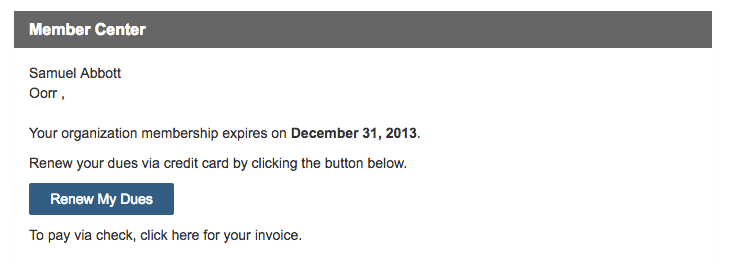
Possibly one of the biggest time savers in the member portal is the ability for members to pay their membership fees online. In the screenshot below, we can see that Samuel Abbot needs to pay his membership fees. With one click of a button, Samuel will be directed to a payment page where he can enter in his credit card info. After submitting payment, his renewal date will jump to the next year.
This process takes all but 5 minutes. It’s easy for the user and the admin!
Optimizing your member portal is a great way to save time as an admin. If your system does not have a member portal or you need help fully leveraging its functions, let us know!

Interested in the AMO Mobile App?
Sign Up to watch a recording of the Live Demo Webinar and receive a link to the Interactive Mobile App Prototype!